
Lobby
The Fire Kirin 2 lobby
Every tile opens with the same login and the same wallet. Log in to start a game.
Launching on this platform
Fire Kirin 2
Fire Kirin 2 is on its way to this lobby. Your account is ready for it now: the same login and wallet open every game here, and the Fire Kirin 2 tile appears in this spot the day it goes live.

Royal Treasure
Slots

Juwa
Ocean Adventure
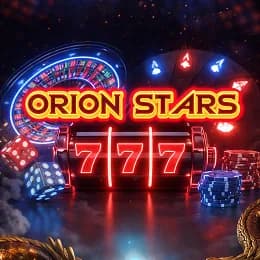
Orion Stars
Casino

Juwa 2
Casino

Gamevault
Slots

Firekirin
Fish Game

Milkyways
Casino

Pandamaster
Ocean Adventure

Gameroom
Casino
Current offers
Terms are shown in your account.
Current offer
Bonuses
Sign-up, first-deposit and bonus-task amounts, read live from the platform.Daily spin
A wheel you can spin from the account; its rules sit next to it.Refer & earn
Invite a friend with your personal link; the reward rules sit next to it.
Recent activity
Completed Cash Outs, newest first.
How it works
Sign-up to withdrawal, on one site
Nothing to install to get started. Your money waits in a wallet that belongs to you, and Transaction History logs each step.
Open a free account
Pick a username, enter your email and choose a password. Nobody sells you an account here, and nothing is charged to join.
Deposit to My Wallet
Open the cashier and add money with one of the options it lists at that moment. The balance sits in your own wallet, not with a middleman.
Choose Get Game Access
Open the page of Fire Kirin 2, or of any other lobby game, and press Get Game Access. Your game credentials, a username and its password, are generated for you and kept inside your account.
Cash In, then play
Send credits from the wallet into the game and start playing in your browser, or use that generated login inside the game app.
Cash Out, then Withdraw
Cash Out carries a game balance back into the wallet. Withdraw sends wallet money to you, and Transaction History records each step with its status.
Your account
One account, one wallet
A single Fire Kirin 2 login and wallet cover the whole lobby, and your game logins, offers and live chat are kept together with them.
One account, one wallet
A single login opens Fire Kirin 2 together with the original Fire Kirin and every other lobby game, all funded from one balance.
Game logins made for you
Get Game Access creates the username and password for each game and stores them where you can read them, so you never ask a stranger for a login.
No agent, no seller
You sign up directly and deposit through the cashier in your own account. Anyone selling accounts, logins or credits is not part of this platform.
Live chat where you already are
The chat bubble is on this page and inside your account. Signed in, support knows which account is writing and has no reason to ask for your password or a one-time code.
Phone, tablet or computer
Play in the browser on any device, add the site to your Home Screen, or install the Android app from the official download in your account.
Bonuses shown live
Current sign-up, first-deposit and task offers are read straight from the platform, so the figures on the bonus page are always the real ones.
Fire Kirin 2 on its official platform
Fire Kirin 2 is the new version of Fire Kirin, and playfirekirin2.com is where it lives. This single domain holds the lobby above, registration and log-in, My Wallet, live chat and every guide page on the site. Nothing about Fire Kirin 2 is handled anywhere else, by anyone else. People also search for Firekirin 2, firekirin2 or Fire Kirin II; all of those spellings point to the same game and the same official site.
Two differences from the original are confirmed, and they are both about how you play rather than what you shoot at.
- Your own account. You sign yourself up, your money sits in a wallet that belongs to you, your game login is generated inside the account, and help comes through a chat window in that same account. There is no agent between you and the game.
- One account for the whole lobby. That login and that wallet also open the original Fire Kirin and the other games listed in the lobby, so you do not keep a separate account per game.
What has changed inside the game itself, including any new tables, fish, weapons or bonus rounds, has not been published. We list the full set of features here when the official notes arrive rather than filling the gap with guesses. The what's new in Fire Kirin 2 page tracks exactly what is confirmed, and the Fire Kirin 2 vs Fire Kirin comparison puts the two versions side by side without inventing anything.
How the Fire Kirin 2 platform works
One account and one wallet
Everything hangs off one account. You create it with your email, a username you pick and a password, and from then on that username opens the lobby on any device. Money you deposit goes into My Wallet, a balance that is yours and is not tied to a single game. From the wallet you move credits into whichever game you want to play, and you move them back out when you stop.
Because the wallet is shared, switching games is simple. A balance you Cash Out of the original Fire Kirin can be moved into Fire Kirin 2 with Cash In a moment later, and the other way round. Nothing leaves the platform in between.
Get Game Access
Each game in the lobby still has its own username and password, but you never ask anyone for them. From the game's page inside your account, choose Get Game Access. A login for that game is generated immediately and displayed in the account, where you can look it up again whenever you need it. The same page then offers Play in browser, which launches the game right there, and Download the game app, which opens that game's official download when one is published.
Keep the two logins straight. Your account login is the username and password you typed at sign-up; it opens the site. Your game login is the pair that Get Game Access generated; it only matters inside a game app. The guide to game usernames and passwords explains which one each screen is asking for.
Live chat inside the account
Support is the chat bubble on this page, the log-in page and every page inside your account. It opens before you log in, and once you are logged in support knows which account is writing, so you do not need to prove who you are. Support never asks for your password or for a one-time code, and nobody will message you first on a social network claiming to be the team. If a conversation starts anywhere other than the chat in your account, it is not official. The support page covers what to have ready before you open a chat.
How to play Fire Kirin 2 on each device
You do not have to install anything to begin. Both the account and the games themselves open in an ordinary browser, which means the quickest route on every device is the same: log in, open the game, choose Play in browser.
- Android phones and tablets. Play in Chrome, or install the game app as an APK from the official download inside your account. The app is not in Google Play, so you allow your browser to install the file; the Fire Kirin 2 APK guide walks through each prompt, and install problems covers a file that will not open.
- iPhone and iPad. Play in Safari. For an icon on your Home Screen, use Safari's Share menu and choose Add to Home Screen, then sign in inside that app. The iPhone guide has the screenshots-in-words version.
- Windows and Mac. Any current browser works, and no emulator is involved. The PC guide covers full-screen play and a few settings worth changing.
The download hub links every route and explains which one fits your situation.
Money in, money out
Four buttons move money, and every press leaves a line in Transaction History carrying one of five labels: pending, processing, completed, failed or cancelled, which together tell you exactly how far a move has got.
| Button | Where the money goes | Guide |
|---|---|---|
| Deposit | From you into My Wallet, through an option the cashier lists at that moment | Fire Kirin 2 deposits |
| Cash In | From the wallet into one game, as playable credits | The same deposit guide |
| Cash Out | From a game back into the wallet | Fire Kirin 2 cash out |
| Withdraw | From the wallet to you | The same cash-out guide |
This site does not publish payment methods, minimums, fees or how long each step takes, because those details change and a stale number is worse than none. The cashier shows the options available when you deposit; the deposit and withdrawal screens show any limit before you confirm, and live chat can answer what the screen does not. If a balance ever looks wrong, Transaction History is the first thing to open: a Cash In that shows pending has not reached the game yet, and a withdrawal that failed or was rejected has had its amount returned to the wallet's available balance.
A habit worth building from your first session: Cash In only what you intend to play right now, and Cash Out whatever remains when you stop. Credits in the wallet are easier to keep track of than credits scattered across several games.
Fire Kirin 2 bonuses
The platform runs a few kinds of offer. A sign-up bonus may be granted when you create your account. A first-deposit bonus adds a percentage of your first deposit, with a minimum deposit to qualify and a cap on what it can add. Bonus tasks pay once per account for small set-up steps: switching alerts on, putting the site on your Home Screen and confirming a phone number.
Amounts are deliberately absent from this page. Offers are switched on and off and changed over time, so the only place the figures are always right is the Fire Kirin 2 bonus page, which reads them from the platform itself. The terms of each offer appear in your account at the point of accepting, and reading them is worth the minute. Nobody outside the platform can grant you a bonus, extend one or add "free credits" for a fee.
Staying on the real Fire Kirin 2 site
The game's popularity attracts impostors, and almost all of them rely on one trick: convincing you that something you can do for free in your own account must instead be bought from them.
- Account and login sellers. The real sign-up costs nothing and takes a minute. Anyone selling a Fire Kirin 2 account, or offering to "set you up" for a fee, is not connected to the platform. The fake sellers guide describes their usual pitch.
- Credit loaders. Credits reach a game only through Cash In from your own wallet. A person offering to load credits if you pay their personal payment-app account is taking your money, full stop.
- Modified APKs. A "mod" or "hack" version promises better odds and delivers a file that can read your passwords. Install only the APK from the download in your account, and read why mod APKs are dangerous if you have already installed one.
- Free credit generators and promo codes. Sites that ask for your login to "generate" credits exist to steal that login. The free credits guide explains the pattern.
- Lookalike addresses. Before you type a password, read the address bar. It should say playfirekirin2.com exactly, with no extra word, hyphen, number or different ending.
If you have already paid someone, what to do after a Fire Kirin 2 scam covers how to limit the loss and where to report it. The platform cannot pull back money sent to a third party, and a stranger who promises to retrieve it in exchange for a fee is simply the next scam in line. The safety hub brings all of this together, including how to check that the site in front of you is the real one.
Playing with limits
You need to be 18 to hold an account; a stricter local rule raises that minimum. Treat fish tables and slots as paid entertainment: each result is random, and losing what you Cash In is a routine outcome rather than a rare one. No table or time of day favors a careful player. Decide what the session may cost before you deposit, treat that money as spent, and stop at the figure whether you are ahead or behind. Fish tables in particular can run long, so set a time limit too.
If playing has stopped feeling like a choice, pause. Warning signs, ways to take a break and free help lines are gathered on the responsible play page, and live chat can tell you what limits your account supports.
The launch, and what you see in the lobby
Fire Kirin 2 gets its own tile in the lobby above from the moment the platform switches it on. Until that moment the lobby shows the other games your account already opens, and the launch card in the lobby states the current status, so this page never needs to guess. Everything else works the same way before and after: the account you create today is the account that opens Fire Kirin 2, your wallet balance carries over, and Get Game Access produces the Fire Kirin 2 login the same way it does for every other game. The launch page is where the confirmed details appear first, and the account itself shows the tile.
At our last check the lobby's other tiles were Juwa and Juwa 2, Orion Stars, Milky Way, Panda Master, Game Vault, Game Room, Royal Treasure, and the original Fire Kirin. The games section describes how fish tables and slots work in general, and the how to play Fire Kirin 2 guide covers a first session step by step.
Where to go next
- New here: read how to create a Fire Kirin 2 account, or go straight to sign up.
- Already have an account: log in, or fix a login that is not working.
- Forgot your password: the reset guide walks through the email code.
- Want an app icon: the download hub picks the route for your device, and Home Screen and alerts covers notifications.
- Have a quick question: the Fire Kirin 2 FAQ is sorted by topic, and the about page explains what this site will and will not claim.
FAQ
Fire Kirin 2 questions, answered
Is playfirekirin2.com the official Fire Kirin 2 site?
Yes. This domain is the only official address for Fire Kirin 2. Lobby, registration, log-in, My Wallet, live chat and the guide pages all run on it. Before you type a password, make sure the address bar reads playfirekirin2.com with nothing added or swapped. No other site, group or seller speaks for the platform.
What is different in Fire Kirin 2?
Two changes are confirmed. You play through your own account on the official platform, with your money in your own wallet, your game login created inside the account and support by live chat in the same place. That one account also opens the original Fire Kirin and the other lobby games. Changes inside the game itself are published here when the official notes are released; we do not guess at them.
How do I get my Fire Kirin 2 username and password?
Your Fire Kirin 2 game login is created inside your account. On the game's page, choose Get Game Access; the platform then generates that game's username and password at once and displays both there for you to read back any time. From the same page you can pick Play in browser or Download the game app.
Do I need an agent or distributor to play Fire Kirin 2?
No. You create a free account yourself, deposit through the cashier in that account and receive game logins from Get Game Access. Nobody sells Fire Kirin 2 accounts, logins or credits on behalf of the platform, and anyone asking you to pay them personally is an impostor.
Is Fire Kirin 2 free to sign up for?
Yes. The sign-up form asks for your email, a username you choose and a password, plus an optional referral code and a terms checkbox, and it costs nothing. The platform may send a 6-digit code to your email to confirm it. You add money only when you decide to deposit.
What do Deposit, Cash In, Cash Out and Withdraw each do?
Deposit puts real money into My Wallet using an option the cashier lists when you open it. Cash In pushes wallet credits into a single game; Cash Out pulls a game balance back out to the wallet; Withdraw sends wallet money to you. Transaction History records every one of these moves and labels it pending, processing, completed, failed or cancelled as it progresses.
Which devices run Fire Kirin 2: iPhone, Android or PC?
All of them, because every device plays in the browser. Android phones can additionally install the game app as an APK from the official download inside your account; it is not listed in Google Play. iPhone and iPad owners play through Safari, with the option of a Home Screen icon. Windows and Mac need nothing beyond a current browser, and no emulator is involved.
Is there a Fire Kirin 2 bonus?
The platform runs a sign-up bonus, a first-deposit bonus and bonus tasks that pay once per account: switching alerts on, putting the site on your Home Screen and confirming a phone number. Figures live only on the bonus page, which reads them from the platform because offers change or get switched off, and the conditions attached to each offer are displayed in your account at the point of accepting.
How do I log in to Fire Kirin 2?
Use your account username and password on the log-in page. That pair is different from the game credentials Get Game Access creates, which you only need inside a game app. If you forget your account password, choose Forgot password on the form and a 6-digit reset code arrives by email.
Where do I download the Fire Kirin 2 app?
From inside your account. Open the Fire Kirin 2 game page after Get Game Access and choose Download the game app, which opens the official download when one is published. Files shared in comments, groups or direct messages are not official, and a modified APK can steal your login.
What is the minimum age for Fire Kirin 2?
You have to be 18 to hold an account, and more than that where your state sets a stricter minimum. Fish tables and slots are entertainment, and losing what you Cash In is a normal outcome, so settle on a budget before your first deposit and stop when you reach it.
What if someone offers me free Fire Kirin 2 credits or a generator?
Treat it as a scam. Credits only enter your account through the cashier or a bonus the platform itself grants, and a generator site or app exists to take your login, your card details or a fee. Report the offer on the platform where you saw it, and never enter your password anywhere but this site.
Free account
Ready for Fire Kirin 2?
Open an account in a minute, add funds when you choose, and collect your game login from the same page.
Only adults can play here: you need to be at least 18, and older still if your state or country sets a higher age. Treat what you load as the price of a night's entertainment, because losing it is a real possibility, and decide your limits before you play. Responsible play